
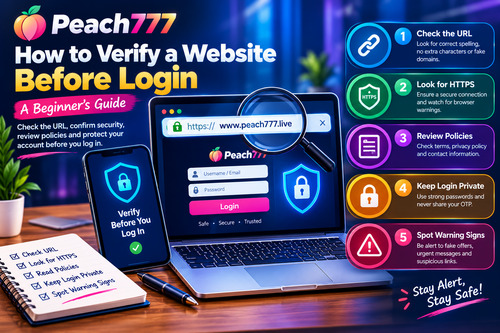
How to Verify a Website Before Login: A Beginner’s Guide
How to Verify a Website Before Login: A Beginner’s Guide
Checking a website before logging in is an important online safety habit. Fraudulent websites can copy the appearance of familiar platforms and trick visitors into sharing passwords, personal details or one-time verification codes. Taking a few moments to inspect a website can help users identify suspicious signs before entering sensitive information.
This Peach777 guide covers practical website verification steps for beginners. These tips are general educational guidance, not a certification of any specific website’s authenticity or security.
Verify the Exact Website Address
Always check the full URL displayed in your browser. Look for spelling mistakes, extra characters, unexpected subdomains and unfamiliar domain extensions. A small difference in an address can lead to a completely different website.
Avoid opening login pages through unsolicited emails, direct messages or unknown advertisements. Instead, enter the intended address manually or use a bookmark you created after independently checking the domain. When researching peach777 game information, make sure the website address matches the source you intended to visit.
Understand HTTPS and Security Indicators
HTTPS helps encrypt information exchanged between your browser and a website. It is useful, but it does not guarantee that the website operator is genuine or trustworthy.
Check for browser alerts about unsafe pages or certificate problems. Do not bypass security warnings to reach a login screen. If anything looks suspicious, close the page and verify the domain through a separate, reliable source.
Review Policies and Contact Information
Look for the website’s terms and conditions, privacy policy and support information. These pages should explain relevant account requirements, how personal information is handled and where users can report concerns.
When exploring peach 777 resources, do not treat attractive graphics, familiar branding or promotional claims as proof of authenticity. Be cautious if essential information is missing, contradictory or difficult to verify independently.
Keep Login Information Private
Create a strong, unique password and avoid reusing credentials from email, banking or other important accounts. Never disclose your password or OTP to another person. Be particularly careful with requests received through unexpected calls, messages or pop-ups.
Avoid logging in on public computers or unsecured networks when possible. If you must use a shared device, do not save your password and remember to sign out completely.
Recognise Common Warning Signs
Unexpected prizes, unusually generous offers, urgent payment demands and messages threatening immediate account suspension may indicate a scam. Spelling errors, broken pages and requests to download unfamiliar software can also deserve closer attention.
Do not install an application or submit identity documents simply because a website tells you to. Verify the request through an independently confirmed support channel before taking action.
Conclusion
Before logging in, inspect the URL, review browser security warnings, check available policies and protect your credentials. Remember that HTTPS and professional website design cannot independently prove authenticity. Peach777 readers should verify the exact domain and avoid suspicious links before entering sensitive information. When uncertain, stop and seek reliable confirmation rather than risking account security.