Peach777 Account Security Guide: Safe Login and Account Protection
Peach777 Account Security Guide: Safe Login and Account Protection
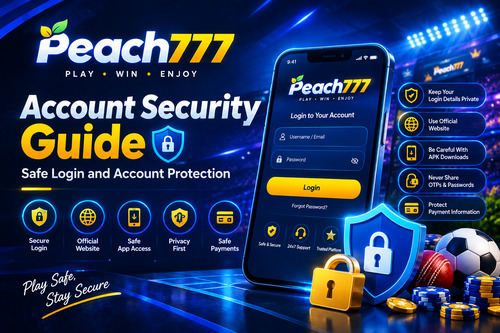
Protecting an online account is an important part of using any digital service. Account credentials can provide access to personal information, payment features and other private sections, so users should develop good security habits from the beginning.
Peach777 provides information about ID registration, login assistance, app access, payments and customer support. Its website also advises users to use the official website and current support channels while keeping login details private.
Protect Your Peach777 Login Details
A username and password should always be treated as private information. Users should avoid sharing login credentials with friends, strangers or individuals contacting them through unofficial channels.
Choose a strong password that does not contain easily guessed personal information. Using unique passwords for different services can also limit the damage if another online account is compromised.
If you forget your login details, use the appropriate account-support process rather than asking another person to access your account.
Use the Correct Website
One of the most important security habits is checking the website before entering login information. Fake websites and copied login pages can appear similar to legitimate services.
Before entering your username or password, verify the domain carefully and avoid unexpected login links received through social media, email or messaging applications.
The Peach777 website recommends using the current website and listed support channels for account access and assistance.
Be Careful With APK Downloads
Mobile applications can make account access convenient, but APK files should be handled carefully. Installing an APK from an unknown source can expose a device to unwanted software or security problems.
The Peach777 website provides information about its app and APK access and specifically advises users to verify the source and installation details before installing an application.
Users should avoid downloading APK files forwarded by unknown people. Before installation, check the source and permissions and keep the smartphone's operating system updated.
Keep OTPs and Passwords Private
Never share OTPs, passwords, recovery codes or other authentication information with someone who unexpectedly contacts you.
Even if a person claims to be a support representative, users should verify the communication through the appropriate support channel before sharing any information.
Remember that account assistance does not mean giving another person complete access to your credentials.
Protect Payment Information
Payment security is another important part of account protection. Users should never share UPI PINs, OTPs, card details or banking credentials with unknown individuals.
Before completing a transaction, carefully check the payment details and recipient information. Peach777's website states that payment methods and limits can vary and recommends checking the latest payment instructions before making a transaction.
Keeping transaction confirmations and reference numbers can also help when reviewing payment activity.
Secure Your Smartphone
A smartphone may contain login details, banking applications, emails and other sensitive information. Use a strong device lock and keep the operating system, browser and security applications updated.
Avoid using unsecured public Wi-Fi for sensitive account activity whenever possible. If you use a shared device, do not save passwords and always log out after finishing.
Responding to Suspicious Activity
If you notice unusual account activity, unexpected login problems or unfamiliar payment information, take action quickly. Do not respond to suspicious messages or provide additional credentials.
Instead, use the current Peach777 support channel listed on the website and provide only the information required to resolve the issue. The website recommends using its available support information for login, registration and account-related questions.
Conclusion
Good account security depends on consistent habits. Protecting passwords, checking the correct website, verifying APK sources, keeping payment credentials private and using official support channels can help reduce common online risks.