
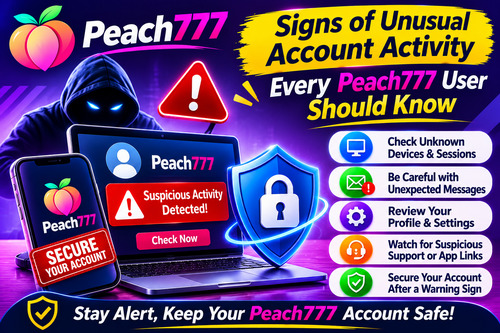
Signs of Unusual Account Activity Every Peach777 User Should Know
Signs of Unusual Account Activity Every Peach777 User Should Know
Keeping an online account secure involves more than choosing a password. Users should also pay attention to what happens after logging in. Unexpected changes, unfamiliar access attempts or messages asking for private details can be signs that an account needs attention.
For people using Peach777, understanding these warning signs is useful for maintaining account privacy. A careful review of login information, profile details and communication sources can help users notice problems before they become more serious.
Notice Devices or Sessions You Do Not Recognise
Think about the devices you normally use to access your account. If you notice an unfamiliar device or session in an available account activity section, investigate it rather than assuming it is harmless.
For example, a login from a device you have never used could indicate that your credentials have been exposed. However, device or location information can sometimes be inaccurate, so consider the full context before deciding what happened.
If your Peach777 login details appear to have been used by someone else, change your password through the verified account process and seek assistance if needed.
Pay Attention to Messages You Did Not Request
Unexpected verification messages can be another warning sign. You may receive an OTP or password-related message even though you have not attempted to log in or change your account details.
Never forward or disclose such codes to another person. A genuine-looking message does not mean the person requesting the code is authorised to receive it.
If repeated verification requests appear, secure your registered email or phone account and contact the appropriate support channel if the issue continues.
Check Your Profile and Account Settings
Changes to account information should always be reviewed carefully. An unfamiliar username detail, modified contact information or setting you did not update may require attention.
Users should periodically check the information available in their profile. If you find an unexpected change, make a note of it and seek guidance through the contact option currently listed on the website.
When requesting Peach777 ID assistance, provide only the basic information genuinely required. Passwords, OTPs and recovery codes must remain private.
Be Alert to Unusual Support or App Messages
Some suspicious activity begins with a message pretending to offer account assistance. A stranger may claim that your account needs verification or ask you to install an application to solve a login problem.
Before responding, independently verify the support contact against the information displayed on the website. For app-related questions, check the current source and installation instructions before downloading any file.
Do not give unknown contacts remote access to your device or follow unfamiliar links to enter account details.
Protect Your Account After Finding a Warning Sign
If you notice something unusual, stop sharing information and secure your account. Change an exposed password, use a unique replacement and review other accounts where the same password may have been used.
If you suspect a payment issue, contact the relevant bank or payment provider through its official channel. For account access concerns, use the currently listed Peach777 support option and explain what you noticed.
Keep records of suspicious messages or unexpected changes where possible.
Conclusion
Unfamiliar devices, unexpected verification messages and unexplained profile changes can all deserve attention. Users checking Peach777 account security should review available information, verify support contacts and keep login credentials private. Regular checks and careful responses to unusual activity can help users manage their accounts more responsibly.